
Getting Your Smart Home Devices Hub to Play Nice Together
Why Every Smart Home Needs a Devices Hub to Work Together
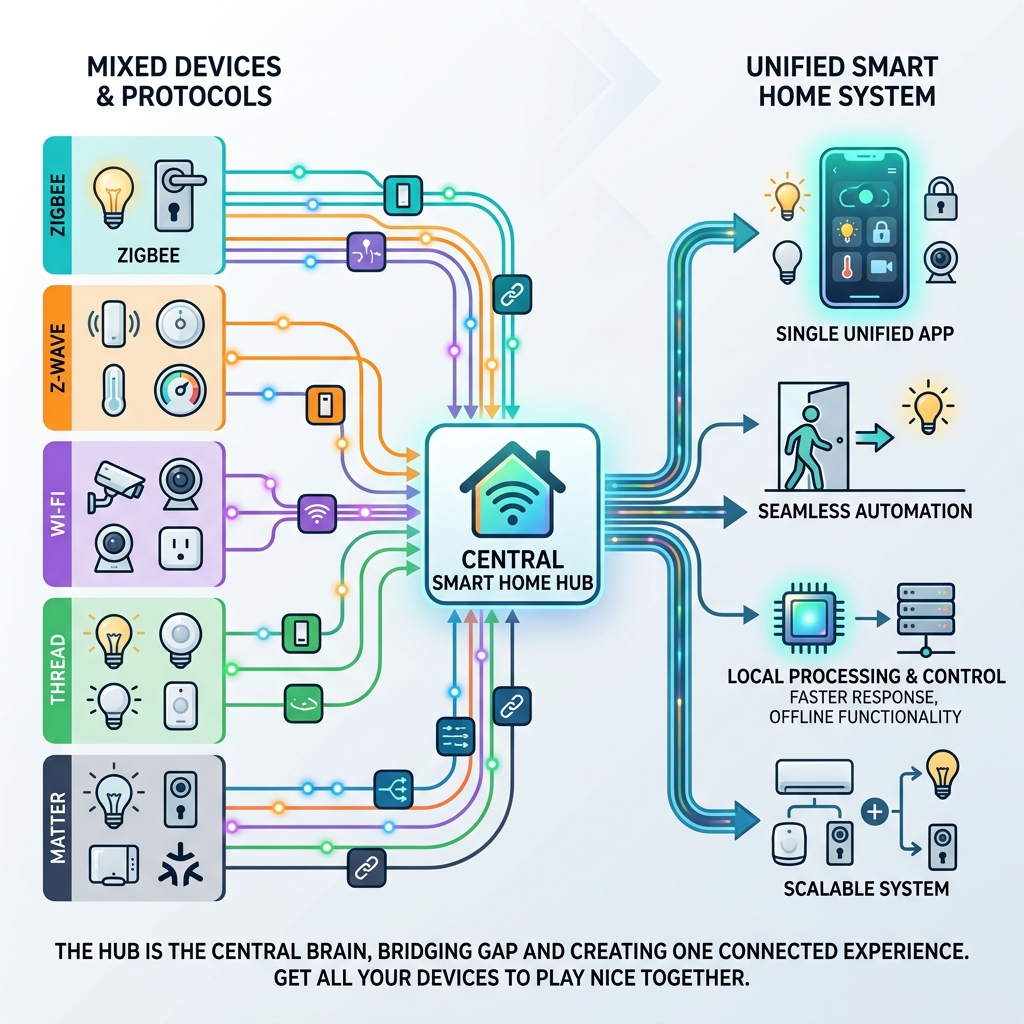
A smart home devices hub is the central brain of your connected home — a single device that links your lights, locks, thermostats, sensors, and cameras so they can all talk to each other and work as one system.
Here’s what a smart home devices hub does, at a glance:
- Connects mixed devices — bridges gadgets from different brands and protocols (Zigbee, Z-Wave, Wi-Fi, Thread, Matter) into one unified system
- Enables automation — lets devices trigger each other, like lights turning on when a door unlocks
- Provides a single app — instead of juggling five apps, you control everything from one place
- Supports local control — many hubs work even when your internet goes down
- Reduces lag — commands processed locally respond faster than those routed through the cloud
Without a hub, smart devices are just islands. Each one has its own app, its own routine, and no awareness of the others.
Think about a typical home setup: smart plugs, a thermostat, some lights, a security camera. Each device works fine on its own. But getting them to respond to each other — that’s where a hub comes in.
The Amazon Echo Hub, for example, is compatible with over 140,000 devices. Homey Pro supports more than 50,000 devices from over 1,000 brands. The options are wide — but choosing the right one matters.
This guide will walk you through exactly how to get your smart home devices playing nicely together, no matter which brands or protocols you’re working with.
Understanding the Role of a Smart Home Devices Hub
When we talk about a smart home devices hub, we are essentially talking about the “commander-in-chief” of your household electronics. If you have ever tried to turn on a smart light bulb only to wait three seconds for it to respond, you’ve experienced “latency.” This usually happens because your command has to travel from your phone, up to a cloud server thousands of miles away, and back down to your bulb.
A high-quality hub changes the game by offering local control. Instead of sending data to the cloud, the hub processes the command right there in your living room. This doesn’t just make your home faster; it makes it more secure. By keeping your data local, you reduce the footprint of your information on the web.
Furthermore, a hub acts as a translator. Imagine a dinner party where one guest speaks only French (Zigbee), another only Spanish (Z-Wave), and a third only English (Wi-Fi). Without a translator, the conversation is non-existent. The smart home devices hub is that translator, allowing a Zigbee motion sensor to tell a Wi-Fi light bulb to turn on the moment you walk into the room.
This level of smart home energy automation is what transforms a collection of gadgets into a truly intelligent environment. Whether it’s managing your smart-home-designs-for-energy-efficiency or ensuring your security cameras are recording locally to avoid monthly subscription fees, the hub is the glue that holds it all together.
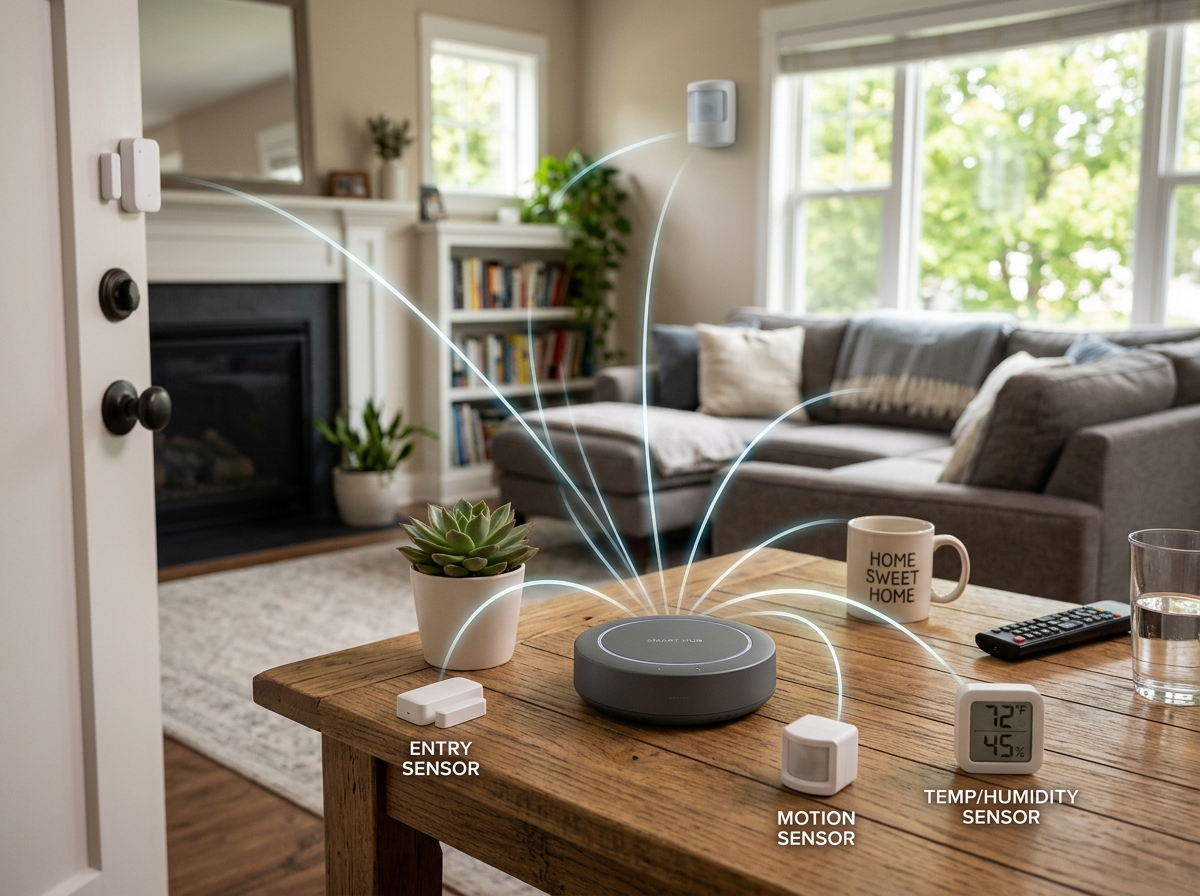
The Difference Between Hubs, Bridges, and Gateways
It is easy to get confused by the terminology. You might see a “Hue Bridge” or a “Lutron Gateway” and wonder if that’s the same thing as a hub. The short answer? Not quite.
- Bridges and Gateways: These are usually “single-brand” translators. For example, a Philips Hue Bridge is designed specifically to help Hue lights talk to your Wi-Fi network. It uses a protocol called Zigbee, but its primary job is to bridge its own brand’s devices to the rest of your home.
- Full Smart Home Hubs: Devices like the Aeotec Smart Home Hub or the Homey Pro are “multi-protocol.” They contain multiple radios (Zigbee, Z-Wave, Thread, Bluetooth) and are designed to manage hundreds of different brands simultaneously.
While a bridge might get your lights online, a full smart home devices hub is what allows those lights to interact with your third-party locks, thermostats, and sensors. If you find yourself with a drawer full of little white boxes (bridges) plugged into your router, it might be time to consolidate into one powerful hub.
Comparing Multi-Protocol and Ecosystem Platforms
Choosing a hub often comes down to a choice between two philosophies: Multi-protocol powerhouses versus Ecosystem platforms.
Multi-protocol hubs (like Homey Pro or Hubitat) are built for the “power user.” They prioritize local control and broad compatibility. For instance, the Homey Pro features a quad-core processor and 2GB of RAM, making it a literal computer dedicated to your home. It supports 433Mhz (for older blinds and gates), Infrared (for your TV and AC), and the latest Matter and Thread standards.
Ecosystem platforms (like Amazon Alexa, Google Home, or Apple Home) are often more approachable for beginners. These hubs are usually built into devices you already want, like a smart speaker or a TV box. The latest Apple TV, for example, doubles as a fantastic hub because it includes Thread and Ethernet for a stable, fast connection.
When looking for the best energy-efficient smart devices, you’ll find that multi-protocol hubs often give you deeper insights into your energy consumption, whereas ecosystem hubs offer the best voice control experience.
Choosing the Best Smart Home Devices Hub for Your Ecosystem
Which “tribe” do you belong to? Your choice of hub should reflect the devices you already own and the phone in your pocket.
- For Alexa Users: The Amazon Echo Hub is a standout. It’s a wall-mountable dashboard that includes Zigbee, Thread, and Matter. It’s designed to be a control panel for the 140,000+ devices Alexa supports.
- For Google Home Fans: The Google Nest Hub (2nd Gen) is excellent. It uses a Soli radar sensor for gesture control and acts as a Matter controller and Thread border router. It’s particularly great for those who use Nest thermostats and cameras.
- For Apple HomeKit Devotees: The Apple TV 4K (3rd Gen) with Ethernet is our top pick. It’s fast, private, and keeps all your HomeKit automations running locally.
- For the “Agnostics”: If you don’t want to be locked into one brand, the Aeotec Smart Home Hub (which runs the Samsung SmartThings platform) is a brilliant middle ground. It supports Zigbee and Z-Wave, allowing you to mix and match almost any device on the market.
For those looking for affordable smart energy devices, starting with a hub that supports Matter is the best way to future-proof your investment.
How Matter and Thread are Changing the Landscape
You may have heard the buzzword “Matter” lately. Matter is a new universal language for smart homes. In the past, if you bought a “Works with Alexa” light bulb, it might not have worked with Apple HomeKit. Matter solves this. If a device has the Matter logo, it will work with any Matter-compatible smart home devices hub.
Thread is the “highway” that Matter often drives on. Unlike Wi-Fi, which can get crowded and slow, Thread creates a “mesh network.” Every Thread device you plug into a wall (like a smart plug) acts as a signal repeater, making your network stronger the more devices you add.
For the tech-savvy, systems like Home Assistant or Hubitat are leading the charge in Matter integration. These platforms allow you to take devices from different eras—like an old Z-Wave door sensor and a brand-new Matter light strip—and make them work together seamlessly.
This shift toward universal standards is a massive win for home energy efficiency. It means you can choose the most efficient smart thermostat regardless of which phone you use.
Step-by-Step: Setting Up Your Hub for Peak Performance
Buying the hub is only half the battle; where you put it matters just as much as what it does. Here is our guide to getting the best performance out of your smart home devices hub.
- Centralize Your Hub: Radios like Zigbee and Z-Wave have a limited range (usually about 30-50 feet through walls). Place your hub in a central location, not tucked away in a metal cabinet or behind a heavy TV, which can block signals.
- Use Ethernet Whenever Possible: While most hubs support Wi-Fi, a hardwired Ethernet connection is always more stable. This reduces the chance of your hub “dropping off” the network.
- Manage Interference: Most smart home protocols use the 2.4GHz frequency—the same one used by old Wi-Fi routers and even microwaves. If your devices are acting flaky, try changing your Wi-Fi channel to 1, 6, or 11 to avoid overlapping with your Zigbee network.
- Update Firmware Immediately: Manufacturers frequently release updates to improve security and add compatibility for new devices. Always check for updates during the initial setup.
- Heal the Network: If you are using Z-Wave, many hubs have a “Repair Z-Wave Network” function. Run this after you’ve finished adding all your devices; it tells the devices to find the most efficient path back to the hub.
Advanced Automation with a Smart Home Devices Hub
Once your hub is set up, the fun begins. Advanced automation is where you see the real return on investment.
Imagine a “Goodnight” scene. With one tap (or voice command), your smart home devices hub checks if the front door is locked, dims the smart bulbs, sets the programmable thermostat to a cooler temperature, and arms your security sensors.
You can even set up condition-based triggers. For example: “If the temperature is above 75 degrees AND the sun has set, then close the smart blinds and turn on the ceiling fan.” This level of logic is only possible with a centralized hub.
For those focused on safety, hubs like the Aqara Hub M1S Gen 2 include a built-in 2-watt speaker that can act as a siren. If a water leak sensor under your sink detects a drip while you’re at work, the hub can sound an alarm and send an immediate notification to your phone, potentially saving you thousands in repair costs.
Frequently Asked Questions about Smart Home Hubs
Do I need a hub if I only have Wi-Fi devices?
Strictly speaking, no. Wi-Fi devices connect directly to your router. However, if you have more than 20 or 30 Wi-Fi smart devices, your router may start to struggle, leading to slow internet for your laptops and phones. A hub that uses Zigbee or Thread takes that “traffic” off your Wi-Fi, keeping your internet fast and your smart home responsive.
Can one hub control devices from different brands?
Yes! That is the primary purpose of a multi-protocol smart home devices hub. For example, a Homey Pro can control a Philips Hue bulb, a Ring doorbell, a Sonos speaker, and a Nest thermostat all from one interface. However, always check the “compatibility list” on the hub manufacturer’s website before buying a new device.
What happens to my smart home if the internet goes down?
This depends on your hub. If you use a cloud-based system, your automations might stop working. However, if you use a hub that supports “local control” (like Hubitat, Home Assistant, or the Aeotec Smart Home Hub with SmartThings Edge), your scheduled lights and sensor-based automations will continue to run perfectly even without an internet connection.
Conclusion
At Financefyx, we believe that technology should work for you, not the other way around. A smart home devices hub is the single best investment you can make to ensure your home is efficient, secure, and genuinely helpful. By centralizing your management, you gain reliability and a level of automation that individual gadgets simply can’t provide.
Whether you are just starting with a few smart plugs to reduce electricity bills or you are building a fully automated estate, the hub is your foundation. As the smart home continues to evolve with Matter and Thread, having a central brain will ensure your home stays “smart” for years to come.
Start building your ecosystem today and experience the peace of mind that comes with a home that finally plays nice together.
