
The Best Home Automation Hub for Every Smart Home
Why a Home Automation Hub Is the Brain of Your Smart Home
A home automation hub is the central controller that connects all your smart devices — lights, locks, thermostats, sensors, and more — into one unified system you can manage from a single app.
Quick answer: The best home automation hubs in 2025
| Hub | Best For | Protocol Support | Price |
|---|---|---|---|
| Homey Pro | Power users | Zigbee, Z-Wave, Thread, Matter, Wi-Fi, BT, 433MHz, IR | ~$400 |
| Hubitat Elevation C-8 Pro | Local control enthusiasts | Zigbee, Z-Wave, Matter | ~$130 |
| Home Assistant Green | Open-source / DIY | 1000+ brands via integrations | $159 |
| Aeotec SmartThings Hub | Samsung ecosystem | Zigbee, Z-Wave, Matter | $99 |
| Apple TV 4K | Apple Home users | Thread, Matter, Wi-Fi | ~$129 |
| Amazon Echo Hub | Alexa users | Zigbee, Matter, Wi-Fi | ~$60 |
| Google Nest Hub (2nd gen) | Google Home users | Thread, Matter, Wi-Fi | ~$100 |
If you’ve ever walked into your living room and tapped five different apps just to set the mood — you already know the problem.
Smart devices from different brands don’t naturally talk to each other. Your Philips Hue lights speak one language. Your Aqara sensors speak another. Your smart lock does its own thing entirely.
A home automation hub solves this. It acts as a translator and command center, pulling everything together so your devices work as a system — not as a pile of unrelated gadgets.
Without one, you get lag, unreliable automations, and a frustrating experience every single time the internet hiccups.
The good news? There’s a hub for every type of homeowner — from total beginners to serious tech enthusiasts. This guide breaks down exactly what to look for and which hubs are worth your money.

Understanding the Home Automation Hub and Its Core Functions
To understand a home automation hub, think of it as the conductor of an orchestra. Each smart device is a musician playing a different instrument. Without the conductor, they might all play the right notes, but they won’t be in sync. The hub provides the rhythm and the cues, ensuring that when you open your front door, the hallway lights turn on and the thermostat adjusts instantly.
One of the most critical roles of a modern hub is managing local control versus cloud processing. Many basic smart devices rely on the “cloud,” meaning every time you toggle a switch, a signal travels from your phone to a server halfway across the world and back to your light bulb. This causes “popcorn effect” lag and, more importantly, means your house stops being smart if your internet goes down.
A high-quality home automation hub processes these commands locally. This ensures data privacy, as your habits aren’t being uploaded to a third-party server, and provides rock-solid system reliability. Whether you are looking for How to Achieve Perfect Energy Savings with Smart Homes or just want your lights to work, local processing is the gold standard.
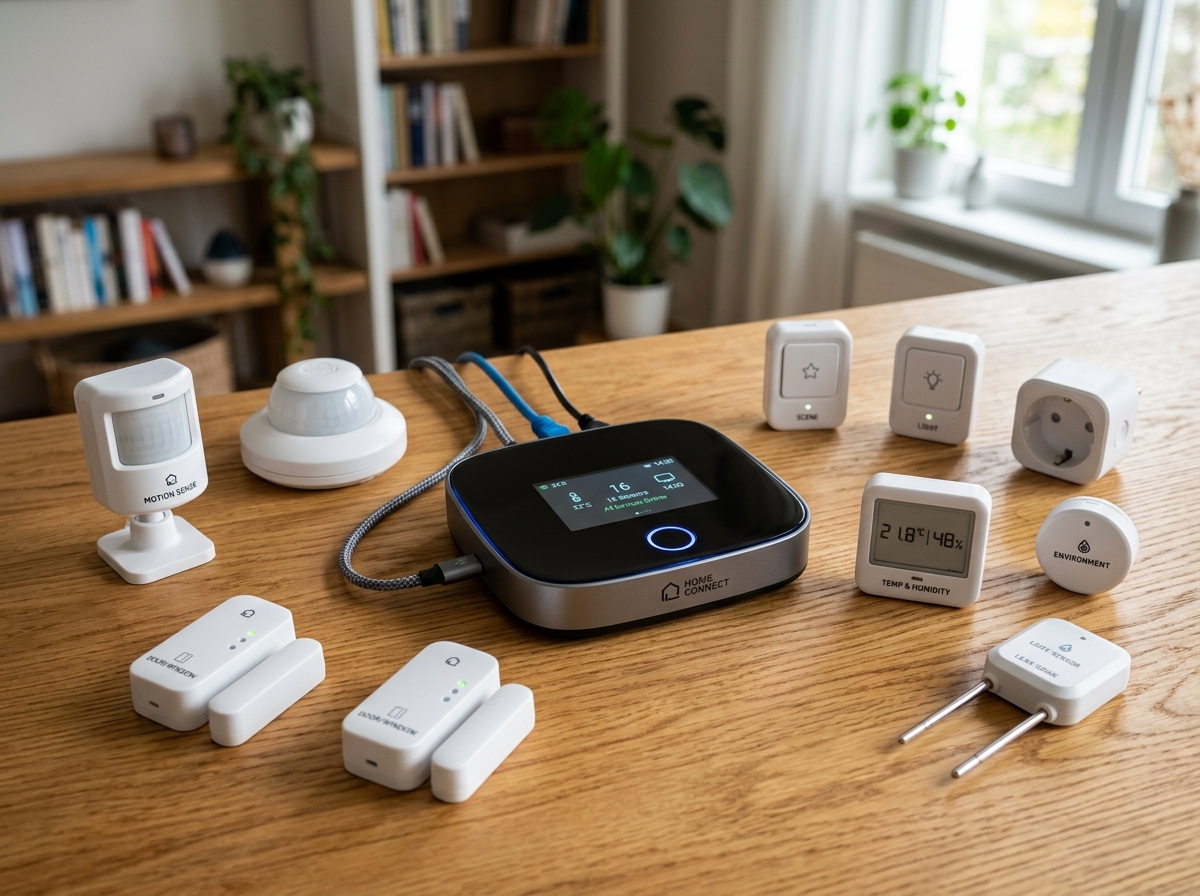
Why Every Smart Home Needs a Home Automation Hub
If you’re just starting with two smart bulbs and a plug, you might not need a hub yet. But as soon as you add sensors, locks, or shades, the cracks start to show. Here is why we believe a dedicated hub is non-negotiable for a serious setup:
- Eliminating Lag: Local hubs respond in milliseconds. Cloud-based Wi-Fi devices often have a noticeable delay that makes motion sensors feel useless.
- Offline Functionality: If your internet provider has an outage, a local hub keeps your schedules and automations running. Your “Good Morning” routine shouldn’t depend on a server in Virginia.
- Unified App Experience: Stop hunting through folders for the “Hue app,” the “Lutron app,” and the “Aqara app.” A hub brings everything into one interface.
- Reducing Wi-Fi Congestion: Most hubs use low-power protocols like Zigbee or Z-Wave. These create their own mesh networks, keeping dozens of smart devices off your Wi-Fi so your Netflix stream doesn’t buffer.
- Battery Efficiency: Devices using Zigbee or Z-Wave are incredibly power-efficient. A contact sensor on a hub can last two years on a coin cell battery, whereas a Wi-Fi version might die in three months.
Differences Between Hubs, Bridges, and Gateways
The industry uses these terms interchangeably, but they aren’t the same. Understanding the difference helps you avoid buying redundant hardware.
- Bridges: These are “translators” for a specific brand. A Philips Hue Bridge only talks to Hue lights. It translates their language (Zigbee) into something your router understands.
- Gateways: Often used in industrial or security settings (like the Ring Alarm Base Station), these connect a specific set of proprietary hardware to the internet.
- Home Automation Hubs: These are the “Universal Translators.” A true hub, like the Homey Pro or Hubitat, can talk to multiple brands and protocols simultaneously, acting as a central management point for the entire home.
Essential Protocols: Zigbee, Z-Wave, and the Impact of Matter
When choosing a home automation hub, you’re really choosing which “languages” your home can speak. Most devices use one of three main low-power mesh networking protocols:
- Zigbee: Extremely common, used by IKEA, Philips Hue, and Aqara. It’s fast and supported by almost every major hub.
- Z-Wave: Operates on a different frequency (908.42 MHz in the US), which means it doesn’t interfere with your Wi-Fi. It’s known for strict certification, making it very reliable for locks and light switches.
- Thread: The newcomer. It’s a low-power mesh protocol designed specifically for the Matter era.
Some advanced hubs also include 433MHz radios (for older, cheaper sensors) and Infrared (IR) blasters to control your “dumb” TV or air conditioner. Integrating these can be a key part of Smart Home Energy Automation: A Detailed Overview, allowing you to automate even non-smart appliances.
| Feature | Zigbee | Z-Wave | Thread |
|---|---|---|---|
| Frequency | 2.4 GHz | ~900 MHz | 2.4 GHz |
| Interference | High (shares with Wi-Fi) | Low | High |
| Mesh Support | Yes | Yes | Yes |
| Matter Compatible | No (requires bridge) | No (requires bridge) | Yes (Native) |
How Matter Changes the Need for a Home Automation Hub
You may have heard that “Matter is here to kill the hub.” That’s not quite true. Matter is a new interoperability standard that allows devices from different brands to work together locally over Wi-Fi or Thread.
However, even with Matter, you still need a Matter controller (which is essentially a hub). Furthermore, since Matter doesn’t natively support the millions of existing Zigbee and Z-Wave devices already in homes, a multi-protocol home automation hub is still the best way to bridge the old world with the new.
A modern hub that acts as a Matter controller and a Thread border router ensures your home is future-proof. It allows you to use “Multi-admin” features, where you can control a device in the Apple Home app while your spouse uses Alexa, all without any conflict.
Choosing the Right Home Automation Hub for Your Needs
Selecting a hub depends on your technical comfort level and how many different brands you want to mix. If you’re planning to build an energy-efficient home, you’ll want a hub that supports Energy Saving Smart Devices: The Future of Home Efficiency without forcing you into a single brand’s ecosystem.
Top Recommended Multi-Protocol Hubs for Power Users
For those who want total control and don’t mind a slight learning curve, multi-protocol hubs are the way to go.
- Homey Pro ($399): This is the “Ferrari” of hubs. It features a sleek design and supports almost every protocol imaginable: Zigbee, Z-Wave (700 series), Thread, Matter, Bluetooth, 433MHz, and Infrared. It’s a beast under the hood, powered by a Raspberry Pi Compute Module 4 with 2GB of RAM. It works entirely locally, offers “Advanced Flow” for complex automations, and supports over 50,000 devices.
- Hubitat Elevation C-8 Pro (~$130): If you value privacy above all else, Hubitat is a fantastic choice. It is famous for its “No Cloud” philosophy. The C-8 Pro features external antennas for incredible Zigbee and Z-Wave range. It’s not as “pretty” as Homey, but it is incredibly powerful for those who want to build complex, reliable rules that never leave the local network.
- Aeotec Smart Home Hub ($99): This is the official hardware for Samsung SmartThings. It’s a great middle-ground hub. It supports Zigbee, Z-Wave, and Matter. While it is more cloud-dependent than Hubitat, the new “SmartThings Edge” architecture allows many automations to run locally for better speed and reliability.
Best Ecosystem Hubs for Beginners
If you just want things to work and already use a specific voice assistant, an ecosystem hub is your best bet.
- Apple TV 4K (3rd Gen): For Apple users, this is the ultimate hub. It acts as a Matter controller and a Thread border router. While it lacks Zigbee and Z-Wave, it provides a seamless experience for anyone already in the Apple ecosystem.
- Amazon Echo Hub: Unlike a standard Echo speaker, the Echo Hub is a dedicated smart home dashboard. It has Zigbee, Thread, and Matter built-in. It’s the first Echo device to support Power over Ethernet (PoE), making it a stable choice for a wall-mounted controller.
- Google Nest Hub (2nd Gen): This is the best choice for Google Home enthusiasts. It supports Thread and Matter and includes a unique Soli radar sensor for gesture controls. Like the Apple TV, it lacks Z-Wave/Zigbee, so you may still need a separate bridge for those devices.
Advanced Features of a Multi-Protocol Home Automation Hub
Why would you spend $400 on a Homey Pro when an Echo is $60? It comes down to the “power user” features:
- Custom Scripting: Using tools like HomeyScript, you can write actual code to control your home. For example, you could write a script that checks the price of electricity and only runs your dryer when rates are at their lowest.
- Advanced Flow: Instead of “If This Then That,” advanced hubs allow for complex logic with multiple “And/Or” conditions and delays.
- Satellite Mode: Some hubs, like Homey, allow you to use a cheaper “Bridge” in another part of the house to extend the range of your Zigbee or Z-Wave network.
- Local API Keys: For the tech-savvy, having local API access means you can integrate your home with custom software or dashboards you’ve built yourself.
Open-Source Solutions for Privacy and Customization
For the ultimate DIY enthusiast, there is no better choice than an open-source home automation hub. These platforms are vendor-neutral, meaning they aren’t trying to sell you their own light bulbs or data subscriptions.
- Home Assistant: This is the gold standard of open-source automation. It is used by over a million households and supports more than 3,400 integrations across 1,000+ brands. You can run it on your own hardware (like a Raspberry Pi) or buy their “plug-and-play” Home Assistant Green ($159). It offers total local control, incredible dashboards, and monthly updates that keep it at the cutting edge of tech.
- openHAB: A powerful alternative to Home Assistant, openHAB supports over 400 different technologies. It’s built on Java and is designed to be absolutely vendor-neutral. It’s a bit more technical to set up, but its “pluggable architecture” makes it incredibly flexible for complex professional installs.
Using these platforms ensures that your data stays in your house. They are “future-proof” because even if a company goes out of business and shuts down its servers, your open-source hub will keep right on working.
Frequently Asked Questions about Smart Hubs
Do I need a hub if I only use Wi-Fi devices?
Technically, no. Wi-Fi devices talk directly to your router. However, as you add more devices (bulbs, plugs, cameras), your Wi-Fi network will become congested, leading to slow internet speeds and dropped connections. A home automation hub with Zigbee or Z-Wave takes that burden off your router. Plus, a hub allows you to create automations between different brands of Wi-Fi devices that otherwise wouldn’t talk to each other.
Can I integrate multiple hubs from different brands?
Yes! In fact, many advanced users do this. You might use an Apple TV 4K as your primary interface because you love the Apple Home app, but use a Homey Pro or Hubitat in the background to manage your Z-Wave sensors and complex logic. Thanks to Matter, integrating multiple hubs is becoming easier than ever.
What happens to my automations if the internet goes down?
If you use a hub with local control (like Homey Pro, Hubitat, or Home Assistant), your automations will continue to work perfectly. Your lights will still turn on with motion, and your schedules will still run. If you rely on a cloud-only setup (like basic Alexa or Google Home routines without a Matter/Zigbee hub), your smart home will effectively become “dumb” until the internet returns.
Conclusion
At Financefyx, we believe that a smart home should be an investment that adds value, comfort, and efficiency to your life. Choosing the right home automation hub is the single most important decision you will make in that journey.
Whether you opt for the plug-and-play simplicity of the Amazon Echo Hub, the raw power of the Homey Pro, or the privacy-first approach of Home Assistant, having a central “brain” ensures your system is scalable and reliable for years to come. As the smart home continues to evolve with Matter and Thread, these hubs will remain the essential bridge that holds everything together.
Ready to take the next step in optimizing your living space? Explore more smart device solutions and start building a home that truly works for you.
