
A useful smart home doesn’t need dozens of apps, complicated wiring, or a speaker in every room. It starts with one task you already repeat, such as switching off a lamp, checking the temperature, or seeing who is at the door.
The best smart home devices for beginners make daily routines easier through intuitive home automation and simple mobile app control while helping you avoid wasted electricity. You can build a practical system in stages, with renter-friendly options that move with you and larger upgrades for a home you own.
Start with a single smart home ecosystem and one clear use case, then add other smart home devices only when they solve a real problem.
Key Takeaways
- Choose your core smart home ecosystem (Amazon Alexa, Google Home, or Apple Home) before buying several devices.
- A smart plug and smart light bulbs are low-cost, renter-friendly starting points for convenience and energy control.
- Look for Matter support when possible, but confirm the device works with your chosen platform.
- A smart thermostat can reduce unnecessary heating and cooling, providing noticeable energy savings if your HVAC system is compatible.
- Security cameras, a video doorbell, and a motion sensor add peace of mind, although cloud recording often requires a paid plan.
Choosing the Best Smart Home Devices for Your Ecosystem
Your first decision is not the device. It is the app and voice assistant that will control your smart home ecosystem.
Amazon Alexa works well if you want a broad range of compatible speakers, displays, plugs, lights, cameras, and thermostats. An Echo Dot is a simple entry point smart speaker, while an Echo Show functions as a helpful smart display in a kitchen or entryway where you want to view a camera feed or timer using hands-free voice control.
Google Home is a natural choice if you already use Android phones, Google Calendar, and Google services. A Google Nest Mini provides voice control in a compact smart speaker format, while a Nest Hub smart display keeps lights, plugs, cameras, and routines in one place.
Apple Home is a strong option if your household mainly uses iPhones, iPads, and Apple Watches. You can control compatible accessories through the Home app and Siri, which also supports voice control. For remote access and more advanced automations, you normally need a smart home hub such as a HomePod mini or compatible Apple TV.
A 2026 smart home platform comparison can help you see how Alexa, Google Home, and Apple Home differ in supported products. None is perfect for every home. The practical choice is the one that matches the phones, speakers, and accounts you already use within your chosen smart home ecosystem.
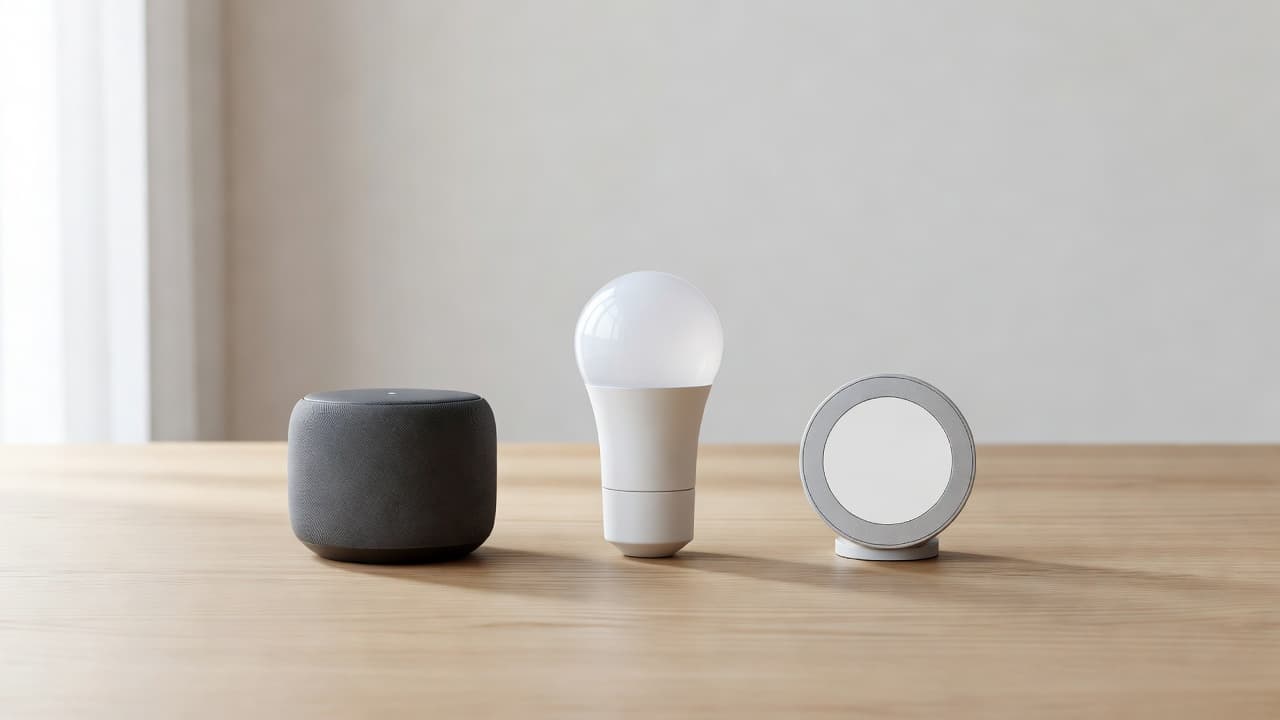
Matter is also worth understanding before you buy. Matter is a smart home standard designed to help compatible smart home devices work across major platforms, including Alexa, Google Home, and Apple Home, without always requiring a dedicated smart home hub. A Matter logo does not mean every feature will appear in every app, but it can give you more freedom if you change platforms later.
Some Matter devices use Wi-Fi, while others use Thread. A Thread accessory may need a compatible Thread border router, such as certain smart speakers, displays, Apple TVs, or home hubs. Read the requirements on the product page before checkout.
A device that says “works with Matter” may still need a compatible Matter controller, Thread border router, or separate hub for its full feature set.
Start With Simple Devices You Can Install Yourself
The easiest smart home upgrades should take minutes, not a weekend. That is why a smart plug, smart light bulbs, and a basic smart speaker are still the best place to begin when you want to try home automation.
A small starter system can handle everyday jobs without changing your electrical wiring. You can add a schedule for a floor lamp, turn off a plugged-in device from bed, or use a voice command when your hands are full.
| Device Type | Good First Use | Installation | Important Compatibility Detail |
|---|---|---|---|
| smart plug | Lamps, fans, coffee makers | Plug it into a wall outlet | Check the appliance wattage rating |
| smart light bulbs | Bedroom, living room, hallway lighting | Screw into a standard socket | Some bulbs need a hub for full features |
| smart speaker | Voice control and timers | Plug in and connect to Wi-Fi | Choose Alexa, Google Home, or Apple Home first |
| motion sensor | Entry or cabinet alerts | Adhesive mounting | Many models need a hub or Thread network |
| indoor security camera | Pet, entryway, or nursery monitoring | Place on a shelf or mount | Video history may need a subscription |
| video doorbell | Front porch monitoring | Hardwire or battery mount | Check transformer voltage requirements |
| smart thermostat | Climate control and scheduling | Wall mounted | Requires a C wire for most models |
The table shows why starting with lighting or a smart plug is a better first purchase than a complex smart thermostat. You see an immediate result, and you learn how mobile app control, your Wi-Fi connection, and everyday routines work before adding more devices.
Current product testing still points beginners toward familiar categories rather than expensive bundles. PCMag’s 2026 smart home device guide includes options such as the ecobee Smart Thermostat Premium and Amazon Smart Thermostat, but simple lighting and plug control is usually the better first step.
When setting up any Wi-Fi device, use your 2.4 GHz network if the instructions require it. Many affordable smart accessories do not connect to 5 GHz Wi-Fi. Keep your router password nearby, update the device firmware, and give each product a clear name in its mobile app, such as “living room lamp” rather than “plug 01.”
Smart Plugs and Lighting That Cut Everyday Waste
Smart plugs are small, practical, and useful in nearly every home. They can control lamps, holiday lights, fans, coffee makers with physical on-off switches, and many other plug-in items.
A smart plug does not automatically turn a standard unit into a smart appliance. It only controls power. That distinction matters. A smart plug cannot safely automate every appliance, and it should never be used with a space heater, electric blanket, medical device, or anything that must not restart without supervision.
For a beginner, a smart plug is most useful when it handles an item you often leave on. You might schedule a living room lamp for sunset, switch off a desk fan before sleep, or turn off a power strip after a workday. These small actions deliver noticeable energy savings and provide a simple entry point into home automation.
The TP-Link Kasa Smart Plug Mini is a common beginner option, and CNET’s current smart home recommendations list Kasa’s Mini among its leading plug choices. TP-Link also sells Matter-compatible models, but model names matter. Check for the Matter badge rather than assuming every Kasa or Tapo plug supports it.
Smart light bulbs offer more flexibility because you can dim lights, adjust color temperature, and create schedules without touching a switch. Warm white light is useful in bedrooms during the evening. Brighter cool white light works better for a work area, laundry room, or kitchen, allowing smart lighting to adapt to your daily routine.
Philips Hue is well known for reliable smart lighting, but its Hue Bridge adds cost and takes up an outlet. You can often begin with mobile app control and Bluetooth for a small number of smart light bulbs, then add the Bridge if you want broader automation, remote control, and Matter support. Other bulbs may connect directly through Wi-Fi or Matter over Thread.
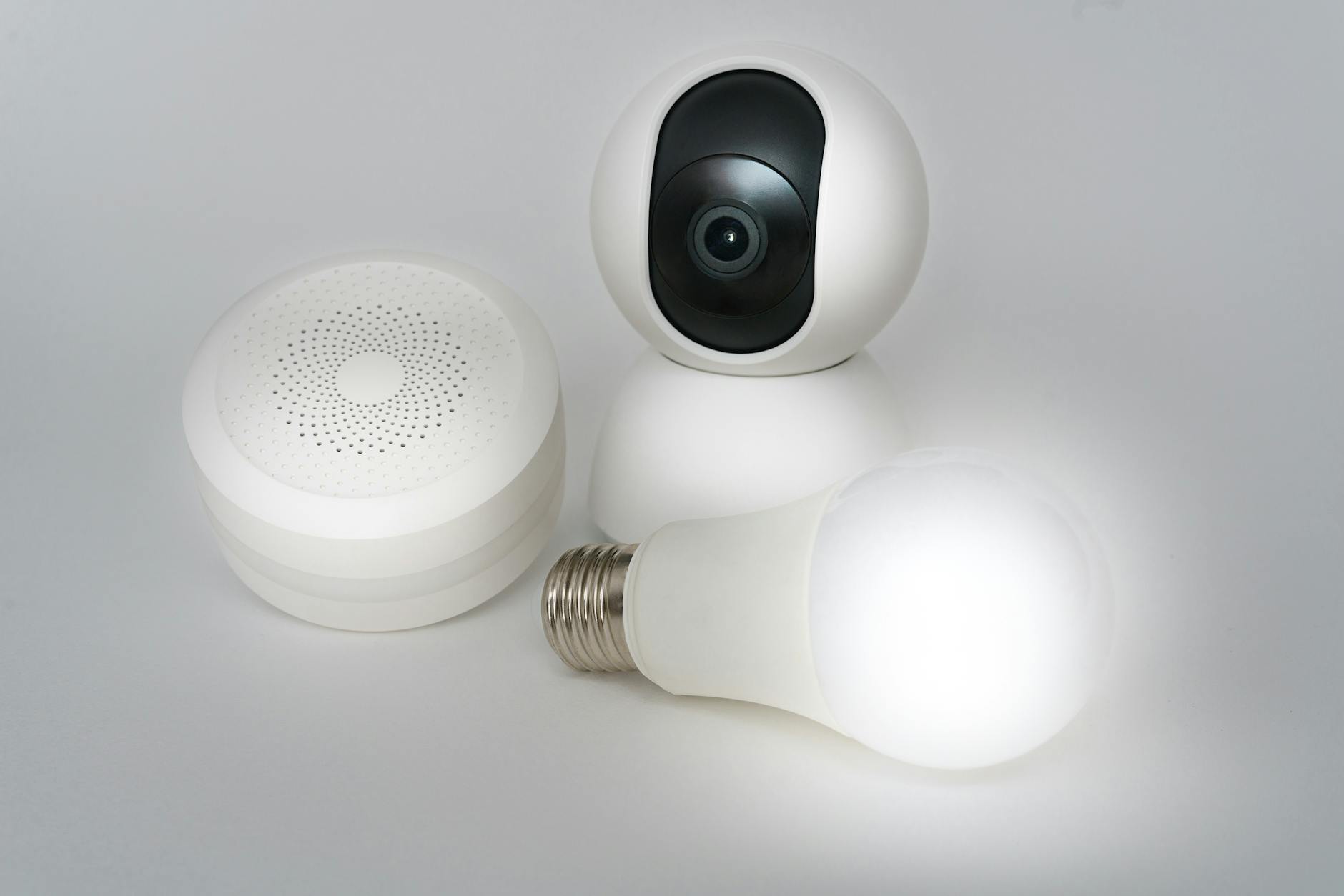
Photo by Jakub Zerdzicki
Avoid using smart light bulbs on a wall switch that family members routinely turn off. The bulb needs constant power to stay connected. A smart plug with a standard lamp is often less confusing in a shared household or rental.
Smart Speakers Make Routines Easier to Use
A smart speaker or a touchscreen smart display is helpful because it gives you a simple way to control devices without opening several apps. You can use voice control to say, “Turn off the bedroom lamp,” set a timer, ask about the weather, or start a routine.
The Echo Dot remains a practical smart speaker for a bedroom, office, or small living space. Google Nest Mini is a compact choice for Google Home users. If your household uses Apple Home, a HomePod mini provides Siri control and can also support home automation routines.
You do not need a speaker for a smart home. Mobile app control can manage most devices directly. Still, voice control makes the system more useful for common tasks, especially when you are cooking, carrying groceries, or settling in for the night, which helps elevate your home automation setup.
Create one routine after your first devices are connected. A “good night” routine driven by voice control could turn off a lamp, switch off a fan, and lower a compatible thermostat. A “morning” routine could turn on a kitchen light and start a favorite news briefing.
Keep routines simple at first. If a routine has six steps and fails, you may not know which device caused the problem. Start with one or two actions, test them for a week, then add more.
Smart Thermostat Can Reduce Heating and Cooling Waste
Heating and cooling can be one of the largest parts of a household energy bill. A smart thermostat gives you better control over when your system runs, and installing a smart thermostat yields significant energy savings by preventing you from heating or cooling an empty home at full comfort settings.
For many beginners, the Nest Learning Thermostat Gen 4, ecobee Smart Thermostat Premium, and Amazon Smart Thermostat are familiar choices. The right pick depends on your HVAC system and ecosystem, not only the screen design or price.
The Amazon Smart Thermostat is designed around Alexa control. The Nest Learning Thermostat is most convenient inside Google Home. Ecobee works with several platforms and includes built-in voice control features on some models, though you should still check current platform support before purchase.
Do not buy a smart thermostat until you confirm your system type. Most devices are designed for low-voltage, 24-volt HVAC systems, meaning they may not work with electric baseboard heat, line-voltage systems, or unusual older equipment without a compatible solution.
A C-wire is another common requirement when evaluating smart home devices for your setup. This wire provides steady power to the thermostat. Some models include an adapter or offer an alternative installation method, but others need a C-wire already in place. If you are unsure what is behind your thermostat, take a clear photo of the existing wiring and use the manufacturer’s compatibility checker.
Renters should ask their landlord before replacing a thermostat. Homeowners should consider professional installation if the system has multiple zones, a heat pump, or wiring that does not match the instructions.
Basic scheduling usually does not require a subscription. However, some brands charge for optional security monitoring, enhanced reports, or other premium services. You can still achieve maximum energy savings through schedules, home and away settings, and sensible temperature adjustments.
Cameras, Doorbells, and Sensors for Basic Home Security
Security products are useful when they give you information, not when they create more alerts to ignore. When building your first smart security system, start with one indoor security camera, door sensor, or video doorbell based on the area that concerns you most.
An indoor security camera or an outdoor security camera can help you check an entryway, pet area, or package drop location, enabling reliable remote monitoring. A battery video doorbell is often easier for renters than a hardwired model, although you will need to recharge it. Wired options for your video doorbell may offer more consistent power, but installation can require existing compatible doorbell wiring.
Brands such as Ring, Google Nest, Arlo, Eufy, Aqara, and TP-Link Tapo offer different approaches to video storage. Some offer local storage on a microSD card or hub. Others rely mainly on cloud storage. Live viewing may be free, while recorded history, person detection, and rich notifications often require a monthly plan.
You might also want to add a smart lock for keyless entry or a motion sensor to track room activity. If you use Apple Home, HomeKit Secure Video requires a compatible home hub and an iCloud+ plan. If you use Ring or Nest, review the current Ring Protect or Nest Aware plan before buying, especially if recorded clips matter to you.
Door and window sensors are another easy option. Aqara sensors are popular, but many models require an Aqara hub. Matter-over-Thread versions can reduce the need for a brand-specific hub, yet they still require the right Thread and Matter equipment in your home.
Place cameras thoughtfully. Do not point them toward a neighbor’s private space. Use strong account passwords, turn on two-factor authentication, and update camera firmware when prompted. Protecting your privacy ensures that your smart security system and smart lock setup remain safe and reliable.
Check Compatibility Before You Build a Larger System
The most common beginner mistake is buying several attractive smart home devices that cannot work together as expected. Before ordering your first smart lock or building out a larger smart security system, check four details on every product page: platform support, connection type, hub requirements, and ongoing costs.
Look for the exact wording. “Works with Alexa” does not automatically mean it works with Google Home or Apple Home. “Matter-compatible” does not promise support for every advanced feature. “No hub required” may be true for basic control, but not for Thread accessories or remote access.
A beginner guide to smart home devices also recommends starting with simple plug-and-play products before expanding to a robot vacuum, an automated smart air purifier, a room air quality monitor, or a basement water leak detector. That approach gives you time to learn what you will use before committing to hubs, subscriptions, or permanent installation.
Your Wi-Fi network also affects reliability. Put your router in an open, central spot if possible. If devices disconnect in distant rooms, a mesh Wi-Fi system may help more than buying another smart accessory. You can also create a guest or separate IoT network if your router supports it.
Use the device’s official app for initial setup, then add it to your preferred mobile app control ecosystem. Do not rush to connect every smart home device to every available app. Using a central smart home hub or streamlined mobile app control makes the system easier for everyone in your home to understand.
A Practical First Smart Home Setup
You can build a useful starter system with only three products:
- Choose a smart speaker like an Echo Dot, Google Nest Mini, or HomePod mini that matches your preferred platform.
- Add one Matter-compatible smart plug for a lamp or fan you use often.
- Add one or two smart light bulbs in the room where you spend the most time.
- Create one morning or bedtime routine and use it for several days.
After that, decide what would make the biggest difference. Add a smart thermostat if heating and cooling waste is your concern. Add a camera or sensor if a basic smart security system is the priority. You can even explore smart kitchen gadgets or expand your setup later.
The best smart home devices are not always the most expensive ones. True home automation means choosing products that fit your space, work with the technology you already own, and continue to be useful after the first week.
Frequently Asked Questions
Which smart home ecosystem should I choose as a beginner?
The best ecosystem depends on the smartphones and accounts you already use. Amazon Alexa, Google Home, and Apple Home are the three major platforms, each offering good compatibility with speakers, smart plugs, and lights.
Do I need a smart home hub to get started?
Not necessarily. Many beginner-friendly devices like smart plugs and Wi-Fi light bulbs connect directly to your wireless router without extra hardware. However, some advanced accessories or Matter-over-Thread devices may require a compatible hub or border router.
Are smart thermostats difficult to install?
Most smart thermostats require a low-voltage 24-volt HVAC system and a C-wire for continuous power. Renters should check with their landlords first, and homeowners with complex or older heating systems may want to consult a professional before installation.
Final Thoughts
A smart home should make ordinary tasks simpler, not add another system to manage. Thoughtful home automation should simplify everyday living through responsive voice control and straightforward remote monitoring, helping you build around the routines that save you time and reduce unnecessary energy use.
Choose compatible products, review subscription terms, and avoid buying a large bundle before you know what you will use. A few reliable smart home devices can create a comfortable, practical, and more energy-aware home that delivers clear long-term energy savings.
